What is an Animated SVG?
An animated SVG is a Scalable Vector Graphic file that contains motion — elements that move, fade, scale, rotate, or morph over time. Unlike GIF or video, animated SVG stays sharp at any resolution because the shapes are mathematical, not pixel-based.
There are three main ways to drive SVG animation in a browser: CSS keyframes, SMIL (native SVG animation tags), and JavaScript libraries like GSAP or Anime.js. This guide focuses on CSS keyframes — the most compatible, easiest to maintain, and zero-runtime option.
Why Use CSS Keyframes for SVG Animation?
- No JavaScript: Pure CSS runs in the browser without any JS payload. Your Core Web Vitals score stays clean.
- Full browser support: CSS @keyframes works in Chrome, Firefox, Safari, and Edge — including mobile browsers.
- Easy to maintain: One @keyframes block reads like a timeline. No callback chains, no tweening library APIs.
- Composable: Combine multiple @keyframes on one element using animation shorthand with comma-separated values.
- GPU accelerated: Animating transform and opacity triggers compositor-layer promotion — smooth 60fps with no layout thrash.
CSS @keyframes Syntax for SVG
The CSS @keyframes rule defines a named animation sequence. You then apply it to any SVG element using the animation property. Here is the basic structure:
You can use percentage stops for fine-grained control:
Animating SVG Transforms
The most common properties to animate on SVG elements are transform (translate, rotate, scale) and opacity. Both are GPU-composited and won't trigger layout recalculation.
@keyframes spinAndFade {
  0%   { transform: rotate(0deg);   opacity: 0; }
  50%  { transform: rotate(180deg); opacity: 1; }
  100% { transform: rotate(360deg); opacity: 0; }
}

.my-icon path {
  animation: spinAndFade 2s ease-in-out infinite;
  transform-origin: center;
  transform-box: fill-box; /* critical for SVG */
}
Important: Always add transform-box: fill-box when animating SVG transforms. Without it, the transform origin defaults to the SVG viewport, not the element's own bounding box — causing unexpected rotation and scale behaviour.
Stroke Drawing Effect with stroke-dasharray
One of the most popular animated SVG tricks is the “draw-on” stroke effect. It works by setting stroke-dasharray to the total path length, then animating stroke-dashoffset from that length down to zero.
Combining Multiple Animations
CSS lets you stack animations on a single element by comma-separating them. Each can have its own duration, easing, and delay — giving you full keyframe-level control:
circle {
  animation:
    pulse  1.2s ease-in-out infinite,
    colorShift 3s linear infinite;
}

@keyframes pulse {
  0%, 100% { r: 8; }
  50%       { r: 12; }
}

@keyframes colorShift {
  0%   { fill: #6366f1; }
  50%  { fill: #ec4899; }
  100% { fill: #6366f1; }
}
Export Animated SVG CSS from CSSVG Editor
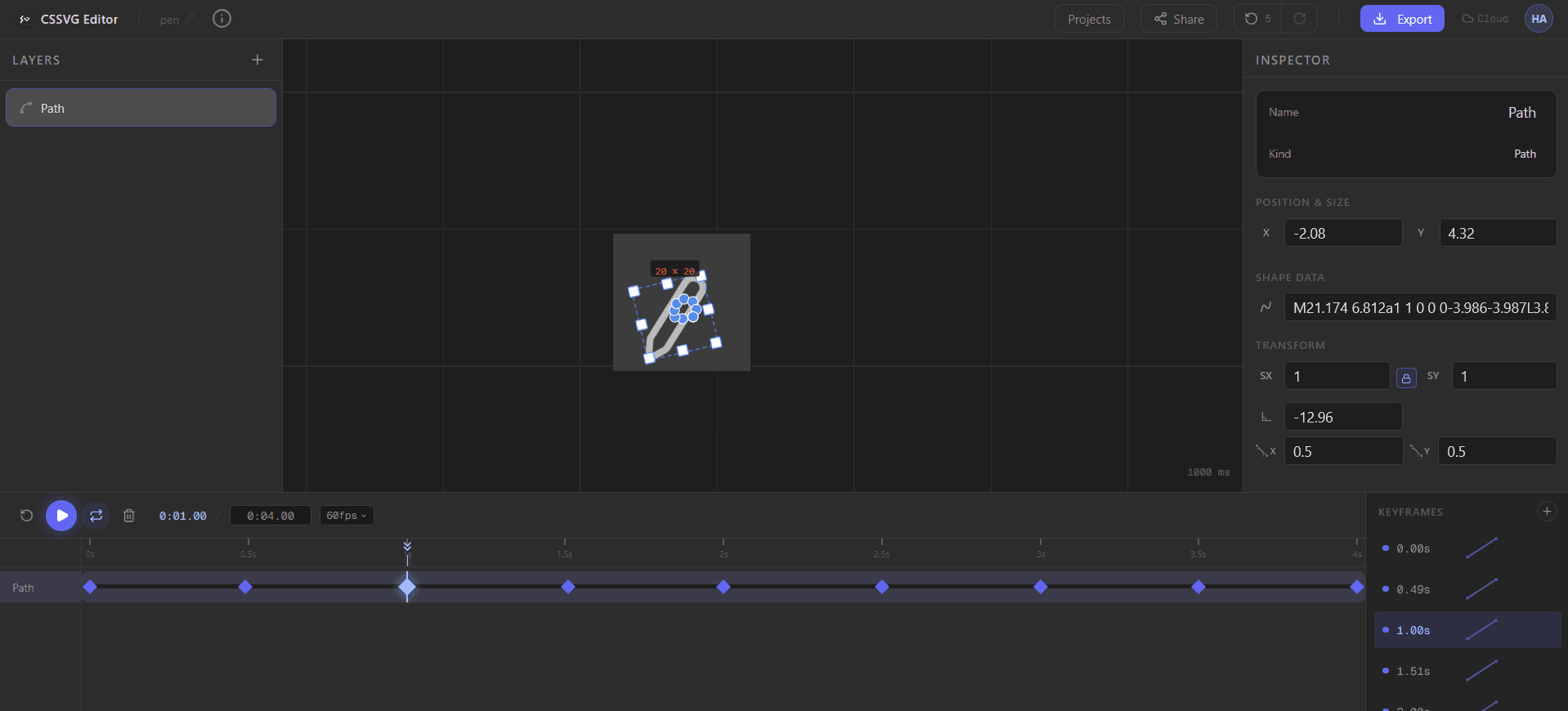
Writing CSS keyframes by hand works, but for complex multi-element animations with per-keyframe easing, a visual editor saves hours. CSSVG lets you build animations on a timeline — drag shapes, set keyframes, adjust easing curves — then export clean CSS @keyframes with one click.
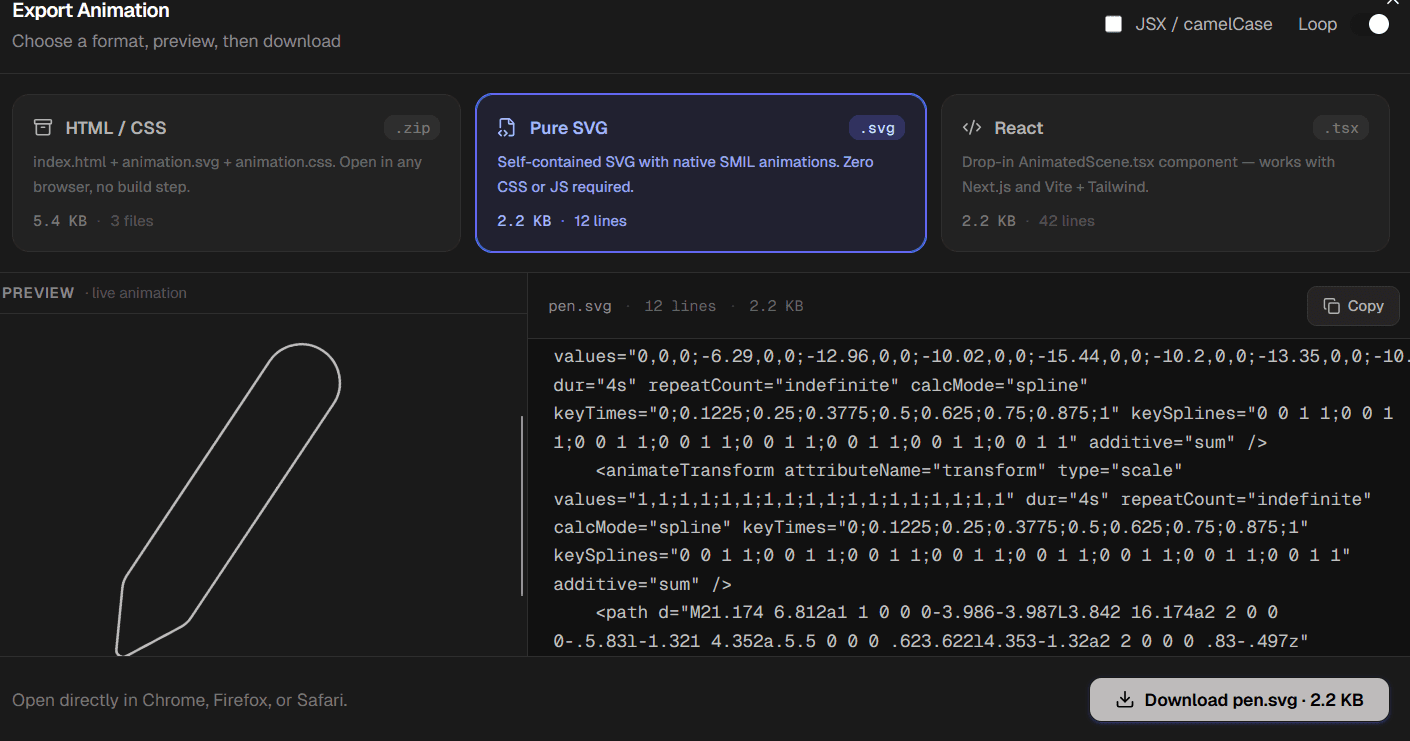
The exported .zip contains an index.html, an animation.svg, and an animation.css — all production-ready. Open index.html directly in any browser.
Performance Tips for Animated SVG
- Animate transform and opacity only: These two properties trigger GPU compositing. Animating width, height, or fill triggers layout/paint and will cause jank at scale.
- Use will-change sparingly: Add will-change: transform to elements with heavy animations. Don't apply it globally — each layer consumes GPU memory.
- Add transform-box: fill-box: Always set this on SVG elements so transform-origin is relative to the element, not the viewport.
- Prefer animation-fill-mode: forwards: For one-shot animations, use forwards so the element holds its final state without needing JS to clean up.
- Reduce motion: Wrap your animations in @media (prefers-reduced-motion: no-preference) to respect accessibility settings.
Try it in the CSSVG Editor
Build animated SVGs visually on a timeline. Export clean CSS keyframes, pure SMIL SVG, or a React component — all for free.
Open the Editor — it's free